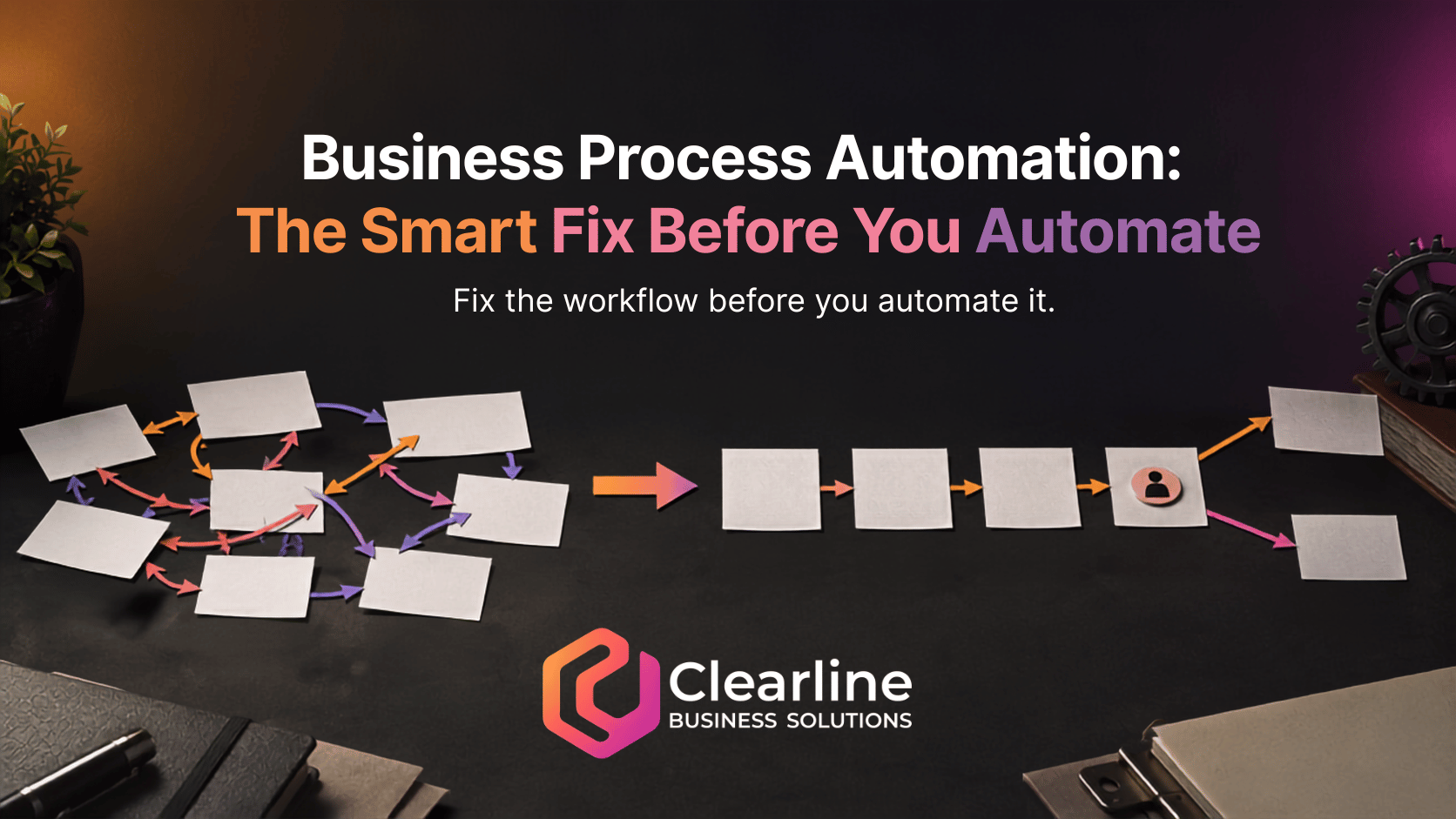
Business process automation can save time, improve consistency, and reduce repetitive work, but only when it follows a process that already makes sense. If ownership is unclear, steps change from person to person, or exceptions are handled randomly, automation does not remove the confusion. It executes that confusion faster and at a larger scale.
The practical answer is simple: define and improve the workflow before choosing triggers, software, integrations, or AI. A small business does not need a complicated process manual. It needs a clear agreement about who owns the work, what should happen, when it should happen, what exceptions require judgment, and what a successful result looks like.
Why messy business process automation creates bigger problems
Software is literal. It follows the rules, conditions, data, and timing it receives. When those inputs are weak, business process automation can create duplicate tasks, send the wrong message, move opportunities too early, or hide a problem behind a dashboard that looks organized.
Imagine that three employees handle new quote requests differently. One replies immediately, one waits until the end of the day, and one forwards the request without recording it in the CRM. Adding an automated email might make the first response faster, but it does not decide who owns the opportunity, when a salesperson should follow up, or what happens if the request is incomplete.
That is why Microsoft’s guidance for planning a Power Automate project starts with identifying the who, what, when, and why, then designing the new process before building the automation. The tool comes after the workflow decisions, not before them. See Microsoft’s automation planning guidance.
Define these five parts before you automate
A useful process can usually be described through five parts. If the team cannot agree on them, the workflow is not ready for business process automation.
- Ownership: Identify one role that is accountable for the process and one role responsible for each step. Shared responsibility often becomes no responsibility.
- Steps and sequence: Document what starts the process, what happens next, and where the work ends. Include required information, approvals, handoffs, and time expectations.
- Exceptions: List the situations that should not follow the normal path. A high-value lead, an angry customer, a missing document, or an unusual quote may need human review.
- Expected outcome: Define what the process should produce. That might be a qualified appointment, an approved estimate, a completed onboarding file, or a resolved support request.
- Measurement: Choose a small number of signals that show whether the process works, such as response time, incomplete records, overdue tasks, or the percentage of requests reaching the intended outcome.
This does not require weeks of consulting or an elaborate flowchart. For a focused workflow, a short session with the people who actually do the work may reveal disagreements that software would otherwise lock into place. IBM describes process mapping as a way to visualize a workflow, understand its components, and identify areas for improvement. Its process mapping overview is a useful reference.

A practical example: automating lead follow-up
Consider a small service business that receives leads from a website form, phone calls, email, and social messages. The owner wants business process automation because staff sometimes respond late or forget a second follow-up.
The weak business process automation approach is to start by connecting every channel to the CRM and turning on a collection of reminders. That may create more records and notifications, but the team still has no common rule for deciding who owns a lead or what qualifies as a meaningful response.
The stronger approach is to define the lead process first:
- Every inquiry creates or updates one contact record.
- A designated role owns the lead based on territory, service, or availability.
- The customer receives an immediate acknowledgement that sets a realistic expectation.
- The assigned person reviews the inquiry and makes a personal response within the agreed window.
- If no contact occurs, a defined follow-up sequence begins.
- Urgent, sensitive, or unusual requests are escalated to a person instead of continuing automatically.
- The process ends with a booked next step, a documented reason the lead is not moving forward, or a future nurture status.
Now the technology has useful instructions. Business process automation can capture the inquiry, assign ownership, create tasks, send the acknowledgement, and alert a manager when the response window is missed. People still handle judgment, conversation, and exceptions.

This is the same principle behind a strong CRM automation setup. Automation should remove repetitive administration while keeping the sales process visible and accountable. If the underlying handoffs are already breaking down, review the warning signs in Clearline’s guide to sales and marketing process improvement first.
What should a small business automate first?
The best early candidates for business process automation are usually repetitive, rules-based, frequent enough to matter, and stable enough that the normal path is understood.
- Creating a CRM record from a form submission.
- Sending a confirmation after an appointment is booked.
- Assigning a task when a deal reaches a defined stage.
- Requesting a missing onboarding document.
- Alerting a manager when a response or approval is overdue.
- Generating a routine internal report from reliable data.
A process is a weaker candidate when every case is different, the input data is unreliable, ownership is disputed, or the decision depends heavily on context. In those situations, improve the process or use automation only to support a person, such as collecting information and flagging the case for review.
Use a simple test before building the workflow
Before approving business process automation, ask the team to answer these questions in plain language:
- What exact event starts the process?
- Who owns the result?
- What information must be present?
- What are the normal steps and time expectations?
- Which exceptions require a human decision?
- What ends the process?
- How will you know the new workflow is better?
Then run the improved process manually for several real cases before business process automation goes live. Watch where people hesitate, where information is missing, and where exceptions appear. Adjust the workflow before software makes those weak points harder to change.
This does not mean a process must be perfect. It means the normal path, ownership, expected outcome, and major exceptions are clear enough to automate responsibly. Start with one small workflow, test it, monitor the result, and refine it before expanding business process automation across the company.
Fix the process, then use automation to make it stronger
Business process automation is most valuable when it reinforces a good operating decision. It should make ownership clearer, routine steps more consistent, exceptions more visible, and outcomes easier to measure.
If a workflow is already confusing, automation is not the first fix. Map what happens now, remove unnecessary steps, assign ownership, define exceptions, and agree on the result. Then automate the stable pieces and leave judgment with the right people. This process-first approach reduces rework and gives the technology a clear job to perform.
If you are not sure which system needs attention first, Clearline’s business growth gaps guide can help you review the connections between strategy, sales, CRM, automation, and reporting.