AI workflows can help a small business summarise enquiries, draft responses, organise information and reduce repetitive work. They become expensive distractions when the team expects them to settle decisions nobody has made about the business itself.
If nobody owns a new lead, a better AI summary does not assign accountability. If three documents disagree about your service area, a fluent answer does not establish the correct policy. If sales and operations define a qualified opportunity differently, faster routing can simply move the disagreement downstream.
The useful question is specific: what should AI do inside this process, what must remain a business decision, and how will you know the result is better? Answer that before connecting an assistant to customer messages, CRM updates or outbound communication.
This guide focuses on that operating decision. Clearline’s business process automation guide covers the broader process foundations. Here, the focus is what changes when a system interprets information and proposes actions rather than only following fixed rules.
Why AI workflows can make a broken process harder to see
A messy manual process is often visibly messy. Messages sit unanswered, employees chase missing details and the owner gets pulled into decisions. AI can make parts of that process look more orderly without resolving the underlying gap.
Imagine a fictional service business where every enquiry receives a polished reply within minutes. The reply sounds helpful, but the request has no assigned owner. Nobody checks whether the customer received a quote. The dashboard counts responses while opportunities still disappear.
The business has improved one activity and left the outcome exposed. The risk with AI workflows is that useful-looking output can become a substitute for evidence that the next step actually happened.
Look at the whole journey: enquiry received, suitability checked, owner assigned, customer contacted, next step agreed and outcome recorded. Identify where progress stops. A faster first reply matters when slow acknowledgement is the constraint. It matters less when estimating capacity or unclear ownership is holding everything up.
That distinction changes the investment. A task assignment rule may solve more than an AI assistant. Removing an unnecessary approval may save more time than drafting its supporting email. Start with the bottleneck, then choose the smallest intervention that addresses it.
Separate interpretation from business authority
AI workflows need a clear boundary between understanding information and being allowed to act on it. Reading an enquiry, drafting a reply and sending that reply are three different permissions. So are recommending a CRM change and committing that change to the customer record.
A practical design separates four levels of work:
- Extract or summarise information for an employee to inspect.
- Recommend an action using approved criteria and supporting evidence.
- Prepare an action that requires a named person’s approval.
- Execute a narrowly permitted action with checks, logging and an exception path.
Moving down that list increases operational responsibility. A summary mistake may cost review time. An incorrect availability promise can create a customer expectation your team cannot meet. The appropriate boundary depends on the consequence, detectability and reversibility of the action.
For early AI workflows, an internal draft is often a sensible starting point. Staff can compare it with the source, learn where it fails and refine the task. That is useful progress even if sending remains manual.
Avoid giving the assistant authority just because the integration supports it. An owner should decide which fields it can change, which messages it can send and which commitments remain human. The tool’s capability is an option. It is not the operating policy.
Fix these six gaps before expanding AI workflows
These six checks are a practical readiness test for one workflow. They do not require a company-wide transformation project. Work through them with the people who handle the actual enquiries, records and exceptions.
1. Define the outcome beyond producing an answer
Write the business result and the assistant’s immediate output separately. The result might be fewer suitable enquiries left without a next step. The output might be a reviewed intake summary that helps the coordinator assign the right person.
For AI workflows, this prevents a common measurement mistake: celebrating more summaries, messages or tasks without checking whether they improved the customer journey. Agree on the handoff that marks useful progress and the evidence that confirms it.
Choose a narrow starting point. “Improve sales” is too broad to evaluate. “Prepare an internal summary of website enquiries for coordinator review” gives the system a defined job and gives the team something concrete to assess.
2. Name the owner and the fallback
One person or role must own the workflow’s performance. Each queued item also needs a responsible person. These may be different roles: a manager can own the process while a coordinator handles today’s exceptions.
AI workflows should specify what happens when that coordinator is absent, the review queue exceeds capacity or an integration fails. A notification alone is insufficient if nobody has agreed to watch it or respond within a defined window.
Set the fallback before launch. That could mean routing enquiries into the existing manual queue and pausing automated actions. Test whether staff can actually find and process those items. A fallback that exists only in a planning document will not protect a busy afternoon.

3. Establish which information is authoritative
Identify the approved source for service boundaries, pricing rules, opening hours, account status and other facts the task needs. Give each source an owner and a review process. Resolve conflicting versions before asking an assistant to choose between them.
Reliable AI workflows also preserve the distinction between a fact, an inference and missing information. If the enquiry does not include a location, record it as unknown. Do not quietly convert an inferred location into a verified CRM field.
Keep the input small enough to inspect. A current service policy and a few relevant records may be more useful than access to an entire document archive. The immediate goal is dependable information for this decision, not maximum access.
4. Make decision rules explicit
Define what qualifies for the normal path and what requires review. “Good lead” needs an operational meaning: a suitable service, an eligible location, enough contact information and whatever other criteria your business has approved.
AI workflows can help interpret a customer’s free-text description, but the organisation must supply the acceptance rules. Otherwise the assistant may produce a plausible recommendation based on assumptions that vary between runs or conflict with staff expectations.
Use fixed checks where they fit. An approved service-area list or a required-field check does not need open-ended interpretation. Reserve AI for the ambiguous material, then validate its output before it controls the next step.
5. Decide how exceptions stop normal processing
Write down what should pause the workflow: conflicting records, uncertain service fit, a complaint, a duplicate enquiry or a request that needs specialist judgment. Specify who receives the case and what information accompanies it.
Good AI workflows make uncertainty visible. A review record should show the original message, the proposed interpretation and the reason for escalation. A generic “needs attention” alert forces the employee to reconstruct the work and may erase the time saving.
Do not use the assistant’s own confidence statement as the only permission check. Evaluate the proposed action against available evidence and business rules. If an important condition cannot be verified, keep the case with a person.
6. Measure complete work, including corrections
Count the time spent preparing inputs, reviewing output, fixing mistakes and handling exceptions. Compare the total with the current process. A fast draft can still create a slower workflow if employees must check every statement against several systems.
For AI workflows, track a small set of operational measures: accepted outputs, correction time, missed required information, queue age and the proportion of suitable enquiries reaching an agreed next step. Use a consistent definition for each measure.
Set pause conditions before the trial. An unauthorised commitment or a change to the wrong customer record may justify an immediate stop, even if the average time saving looks attractive. Speed cannot compensate for an unacceptable failure.
Three examples of choosing the right role for AI
The following examples are hypothetical operating scenarios, not client case studies. Each shows how the same general ambition can lead to a different design once the actual constraint is identified.
Enquiry triage: summarise before you route
A contractor receives enquiries describing several different services. Staff spend time reading long messages, but territory rules are straightforward. The sensible AI task is extracting the requested service, location, timing and missing details into an internal summary.
The process then applies approved routing rules and gives the coordinator uncertain cases. AI workflows become less dependable if the assistant independently invents a territory, assumes missing details or promises a site visit before availability is checked.
Keep the original enquiry beside the summary. Require the coordinator to see why a service category was proposed. If the main delay is a manager approving every assignment, investigate that approval rule as well. Summarisation alone will not remove the queue.

Quote follow-up: separate drafting from eligibility
A professional service firm wants more consistent follow-up on open proposals. AI can help draft a relevant message from approved proposal details and conversation notes. The eligibility decision still needs reliable proposal status and communication rules.
Exclude accepted, declined, withdrawn and disputed proposals according to the firm’s process. Check whether a person is already in a live conversation. Ensure the same proposal cannot enter the follow-up sequence repeatedly because two integrations observed the same update.
In this setting, AI workflows support the writing task while the CRM controls eligibility and the employee approves the message. If proposal stages are stale, clean up stage ownership first. Better wording will not prevent the wrong customer from receiving it.
Clearline’s guide to sales follow-up emails explores the message itself. The additional decision here is whether the system has enough verified context and permission to prepare or send one.
Meeting notes: draft the record without overwriting facts
A sales team wants to turn meeting notes into CRM updates. AI can propose a summary, action items and dates mentioned in the conversation. Trouble begins when a suggested interpretation overwrites an existing field without a reviewable explanation.
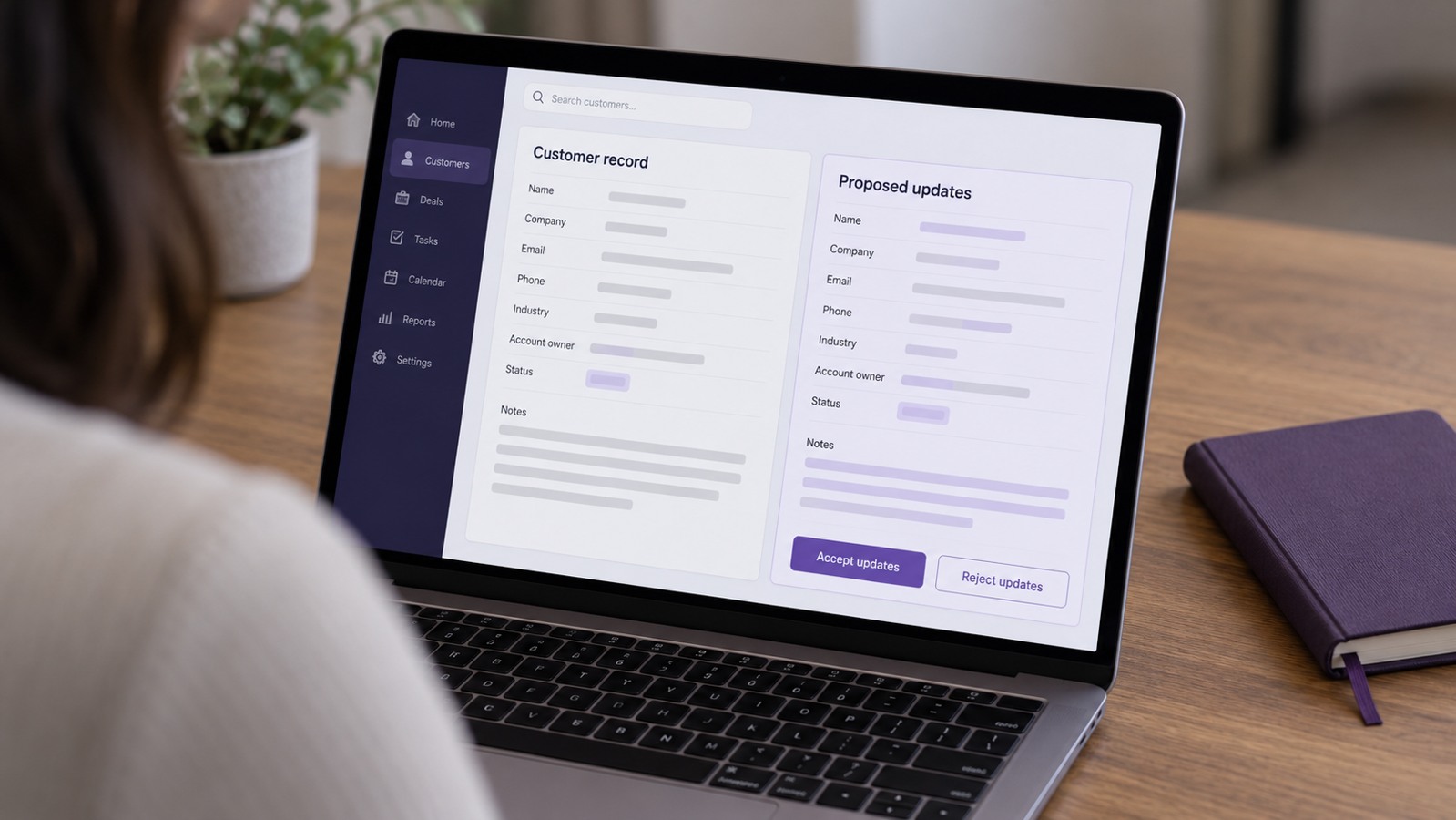
Use AI workflows to prepare proposed changes alongside the source notes and current record. A salesperson can accept the useful updates and correct ambiguity before they become operating data. Preserve the difference between a tentative discussion and a confirmed customer commitment.
If the CRM’s stages lack clear definitions, settle those definitions first. “They seemed interested” is not automatically evidence that an opportunity should move to negotiation. A cleaner record depends on a shared sales process as well as a useful summary.
Choose between process repair, fixed rules and AI
The best next move is sometimes a process change with no new software. Remove a duplicated approval, assign an owner or shorten the intake form. These changes can improve the conditions for AI later while delivering value immediately.
Use ordinary automation when the decision follows stable, explicit rules. Creating a task after a form arrives, checking whether a required field is empty or sending an approved booking confirmation may be straightforward without generative interpretation.
Use AI workflows when the useful work involves language, summarisation, classification or drafting and the output can be evaluated against a clear standard. Combine interpretation with fixed validation where appropriate rather than making every step depend on an open-ended model response.
NIST’s AI risk management guidance on mapping context includes considering non-AI alternatives. For a business owner, the practical implication is to compare ways of solving the task before deciding that an AI component belongs in it.
You also need enough volume to justify maintenance. A task performed twice a month may be cheaper to improve with a checklist. A frequent task may justify integration, provided review and exception costs do not consume the benefit.
Pilot AI workflows without hiding the failures
Start with one task, one owner and a defined comparison period. Record how the current process performs before changing it. Use examples that reflect normal work and awkward cases, including missing details, duplicate requests and conflicting information.
Run the assistant alongside the existing process before allowing consequential actions. Staff should assess the output against the same acceptance criteria, record corrections and distinguish task errors from upstream data problems. This makes the pilot useful even when it reveals that the business is not ready to expand.
A practical test set for AI workflows should include an ordinary enquiry, an incomplete enquiry, a request outside scope, a complaint and a repeat submission. Add cases specific to your business. These are suggested categories, not a universal certification or a guarantee of reliability.
Test the surrounding integration too. What happens if a CRM write fails after the assistant produces an answer? What happens if a retry repeats an action? Who sees a case that never reaches the next stage? A convincing demonstration usually follows the happy path; operating work also needs recovery.
Agree on the expansion decision in advance. You might require useful time savings after review, no unauthorised customer commitments and an exception queue the team can handle. Set thresholds that match the workflow’s consequences instead of borrowing arbitrary targets.
NIST’s guidance on managing AI risk calls for assessing whether a system achieves its intended purpose and monitoring it after deployment. Apply that principle by scheduling an owner review and preserving the ability to pause automated actions.

Keep the review manageable after launch
AI workflows need maintenance when policies, forms, services, staff roles or connected systems change. Decide who updates the reference material and who reruns the relevant tests. An assistant built around last month’s process can become a source of avoidable rework.
Maintain a short operating record: approved purpose, permitted actions, input sources, owner, exception route, test examples and last review date. Keep it usable by the person covering the workflow, rather than burying it in a large technical document.
Review exceptions for patterns. Repeated missing locations may suggest an intake-form change. Repeated misclassification may suggest that service categories overlap. If reviewers keep correcting the same policy interpretation, the source rule may need clarification before another prompt adjustment.
As AI workflows become more reliable, reconsider review coverage carefully. Some low-consequence actions may support narrower checks after testing. Other decisions should stay with people because the consequences or ambiguity remain high. Expansion is a business decision supported by evidence, not the automatic next phase of every pilot.
Frequently asked questions about AI workflows
Do AI workflows require a perfect business process?
No. AI workflows can begin with a bounded internal task while the broader process improves. The minimum is clarity about the task, owner, permitted information, acceptance criteria and exception handling. Missing business decisions should remain visible rather than being delegated silently.
Can AI help identify what is broken?
Yes. AI workflows can support reviewing documented steps, comparing examples and suggesting questions for the team. Treat the output as a hypothesis to check with employees and actual records. The assistant cannot establish how work really happens from an incomplete description alone.
Is a better prompt enough?
A better prompt helps when instructions or context are the problem. It cannot create an agreed service policy, accurate CRM stages or an accountable owner. Clearline’s AI prompts guide explains the process brief; AI workflows also require controls around the resulting action.
Which AI workflows should we try first?
Choose a frequent, bounded task where mistakes are detectable and someone can review the result. Internal summaries and draft responses may fit. Avoid starting AI workflows with unchecked pricing commitments, unrestricted record changes or actions whose mistakes would be difficult to reverse.
When should we stop a pilot?
Pause when a defined stop condition occurs, review capacity becomes inadequate or total effort exceeds the value created. AI workflows should earn expansion through useful outcomes. Reducing scope, reverting to fixed rules or returning to a manual process can be the right result.
Give AI a clear job inside a better process
The aim is a business process that produces a useful result consistently. AI workflows can contribute by reducing reading, drafting and administrative effort. They work best when the surrounding rules, records, ownership and recovery paths make that contribution dependable.
Start with one point where work gets stuck. Decide whether it needs a business decision, a simpler process, a fixed rule or AI assistance. Test the smallest useful change and measure the complete result, including review and corrections.
If the connections between lead capture, sales, CRM and follow-up are unclear, Clearline’s CRM and growth systems assessment can help you identify what deserves attention first. That gives the technology a useful purpose before you give it more responsibility.