CRM Setup for Small Business: 6 Critical Gaps That Hurt Follow Up
CRM setup for small business should make sales follow-up easier, clearer, and more consistent. It should show who owns each lead, what happened during the last interaction, what needs to happen next, and where every opportunity sits in the sales process.
That is not always what happens.
Many small businesses invest in CRM software but continue managing important opportunities through inboxes, spreadsheets, calendars, handwritten notes, and memory. Contacts may exist in the CRM, but follow-up remains inconsistent. Deals sit in the wrong stage. Tasks are not assigned. Notes are incomplete. Reports cannot be trusted.
The problem is rarely the software alone.
Weak CRM setup for small business usually reflects a disconnected growth process. The website captures a lead, but the information does not reach the right person. A salesperson holds a discovery call, but no next step is entered. A proposal goes out, but nobody schedules the follow-up. Marketing creates inquiries, but lead sources are recorded inconsistently.
Each gap may seem small on its own. Together, they create missed opportunities, slower response times, weak accountability, unreliable reporting, and unnecessary pressure on the owner.
A practical CRM setup for small business connects lead capture, ownership, qualification, pipeline stages, sales activity, follow-up, automation, and reporting. It gives the team one shared process instead of asking each person to invent a different way of working.
That is the standard CRM setup for small business should meet: every active opportunity should be visible, assigned, documented, and connected to a clear next action.
This article explains six critical gaps that commonly hurt small-business follow-up and shows how to correct them without turning the CRM into an overly complicated administrative system.
Table of Contents
- What a practical CRM should accomplish
- Gap 1: Leads enter through disconnected channels
- Gap 2: Lead ownership is unclear
- Gap 3: Pipeline stages do not match the sales process
- Gap 4: Opportunities have no defined next action
- Gap 5: CRM data is incomplete or inconsistent
- Gap 6: Nobody reviews adoption or performance
- How to improve your CRM in 30 days
- What not to automate too early
- How CRM fits into a complete growth system
- Frequently asked questions
What Should CRM Setup for Small Business Accomplish?
A CRM is not simply a database of names and email addresses. It should help the business manage leads, sales conversations, decisions, responsibilities, and next steps.
Useful CRM setup for small business should answer basic questions without requiring the owner to search through emails or ask several employees for an update:
- How did the lead find the business?
- What service or solution are they interested in?
- Who owns the opportunity?
- Has anyone responded?
- Is the lead qualified?
- What stage is the opportunity in?
- What happened during the last interaction?
- What action needs to happen next?
- Who is responsible for that action?
- When is the action due?
- Which opportunities have stalled?
- Which lead sources produce qualified conversations?
- Which deals are expected to close?
When the system cannot answer those questions, the CRM becomes another place to enter information instead of a tool that helps the business move revenue forward.
Good CRM setup for small business starts with the sales process, not the software menu. The business first needs to decide how leads enter, how they are assigned, what makes an opportunity qualified, which milestones matter, and what follow-up is expected at each stage.
The technology should then support those decisions.
Salesforce’s official CRM implementation guide covers goal setting, data planning, configuration, integration, training, testing, and ongoing support. It is a useful reference because it treats implementation as more than installing software.
This is why CRM setup for small business should be managed as a process-improvement project rather than a software-purchasing project.
Before adding advanced automation, AI tools, lead scoring, or detailed dashboards, make sure the basic CRM setup for small business reflects how leads actually move from first inquiry to closed business.
Gap 1: Leads Enter Through Disconnected Channels
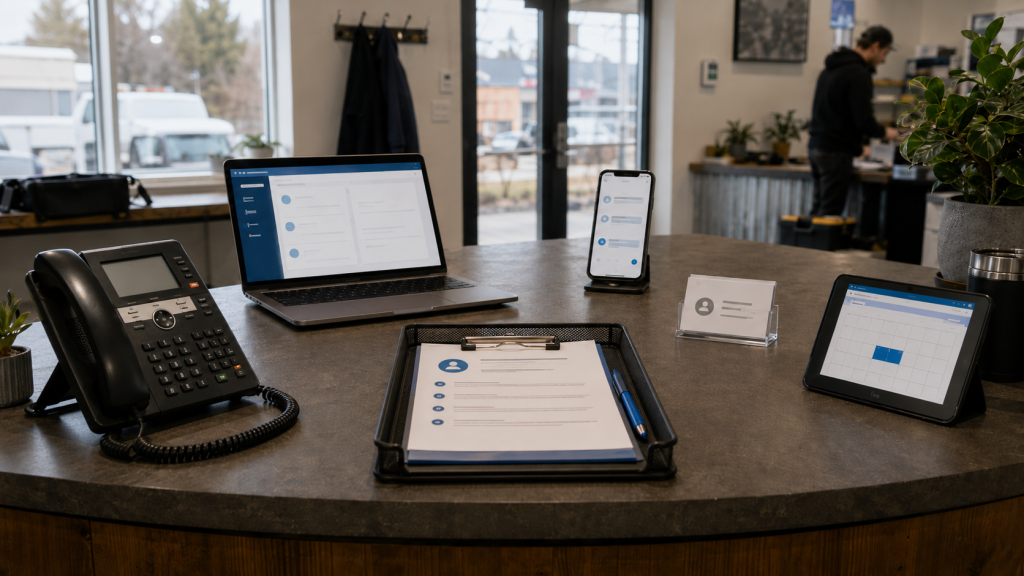
Small-business leads rarely arrive through one source.
A prospect may complete a website form, send an email, call the office, book a meeting, respond to an advertisement, send a social media message, or receive an introduction from a referral partner.
The first critical gap appears when those channels do not feed one clear lead-management process.
Website inquiries may reach a general inbox. Phone calls may be written on paper. Referrals may remain in someone’s personal email. Social messages may never leave the platform where they arrived. Calendar bookings may create appointments without creating contact or opportunity records.
The result is fragmented follow-up.
A lead can receive a fast response through one channel and no response through another. Management may see only the inquiries that reached the CRM, creating an incomplete picture of lead volume and sales performance.
Effective CRM setup for small business creates a consistent entry point for every legitimate inquiry. That does not mean every channel needs a complex integration immediately. It means the business has documented how each lead enters the CRM, what information is captured, and who becomes responsible.
At minimum, each new lead should include:
- Contact name
- Company name when relevant
- Email address or phone number
- Service or area of interest
- Lead source
- Date received
- Assigned owner
- Current status
- Required next action
The process should also distinguish a genuine sales lead from a support request, job application, vendor message, spam submission, or existing client question. Without that distinction, the sales pipeline becomes crowded with records that do not represent real opportunities.
Microsoft’s overview of lead management in Dynamics 365 describes a process that includes capturing, tracking, qualifying, assigning, and developing potential customers. Those same process fundamentals apply to CRM setup for small business even when a company uses a different CRM platform.
How to Fix Disconnected Lead Capture
Map every place where a prospect can contact the business.
Test each path yourself. Submit the website form. Book through the online calendar. Call the published phone number. Send an email to the main address. Review social accounts, advertising forms, directories, and referral processes.
For each source, confirm:
- Where the inquiry appears
- Whether a CRM record is created
- Which information is captured
- Who receives the notification
- Who becomes the owner
- What follow-up task is created
- How quickly a response is expected
Do not assume a form or integration is working because it worked when it was first installed. Website updates, software changes, expired connections, field changes, and notification settings can quietly disrupt lead capture.
A quarterly test of every important inquiry path should be part of maintaining CRM setup for small business. The test does not need to be complicated. Someone should submit a sample inquiry and confirm that the contact, notification, ownership, and task all appear correctly.
CRM setup for small business should close the space between “someone contacted us” and “the right person is taking the next step.”
Gap 2: Lead Ownership Is Unclear
A lead can exist in the CRM and still be effectively lost.
This happens when nobody is clearly responsible for moving it forward.
One person assumes the owner will respond. The owner assumes the sales coordinator has it. The sales coordinator thinks it belongs to another service line. Everyone can see the inquiry, but nobody owns the outcome.
Shared responsibility often becomes no responsibility.
Dependable CRM setup for small business assigns one clear owner to every active lead or opportunity. Other people may contribute, but one person should be accountable for making sure the next action happens.
Ownership rules can be based on:
- Service requested
- Territory or location
- Industry
- Existing relationship
- Lead source
- Account size
- Team capacity
- Round-robin assignment
- Named account responsibility
The assignment logic does not need to be sophisticated. It needs to be clear, documented, and consistently applied.
The business should also define a response standard. New sales inquiries may require a personal response within one business day. High-priority opportunities may require faster action. Lower-intent resource downloads may enter a nurture process instead of receiving an immediate sales call.
The correct timing depends on the business, team, offer, and type of lead. The important point is that the standard is intentional rather than accidental.
Create a Lead-Ownership Matrix
For each lead type, document:
- Who becomes the primary owner
- Who acts as the backup
- How quickly the first response should happen
- What counts as a completed first response
- When the lead should be reassigned
- When a manager should be notified
- What happens when the owner is unavailable
Then configure the CRM to support those rules.
CRM setup for small business may automatically assign the record, notify the owner, and create a first-response task. It may also alert a manager when a high-value inquiry has remained untouched beyond the agreed response period.
At this point, CRM setup for small business should make ownership obvious from the record itself. A manager should not need to search through email threads to determine who is responsible.
Automation is helpful, but the ownership decision must come first. A workflow cannot solve confusion about who should handle the lead.
Clear ownership removes the need to ask, “Who is dealing with this?” More importantly, it makes missed follow-up visible before the opportunity disappears.
Gap 3: Pipeline Stages Do Not Match the Sales Process

Many CRM platforms begin with generic pipeline stages such as new, contacted, qualified, proposal, negotiation, won, and lost.
Those stages may be a reasonable starting point, but they are not automatically right for every business.
A consulting firm, contractor, professional practice, managed service provider, and software company may all sell differently. Some businesses need an assessment before preparing a proposal. Others require a site visit, technical review, product demonstration, estimate, trial, or internal approval.
When pipeline stages do not reflect the real buying process, employees interpret them differently.
One person moves a deal to “qualified” after receiving a form. Another waits until a discovery call is complete. One employee considers a verbal estimate a proposal. Another uses the proposal stage only after a formal document has been delivered.
The pipeline looks organized, but the data means something different to each person.
Strong CRM setup for small business gives every stage a clear definition. Each stage should represent a real milestone in the buyer journey, not a vague opinion about whether the deal feels promising.
Salesforce’s guidance on building a CRM strategy recommends connecting CRM planning to business needs, customer interactions, data, technology, and team adoption. That connection is especially important when defining pipeline stages.
Define Entry and Exit Criteria
For each stage, document what must be true before an opportunity enters it and what needs to happen before it leaves.
A service-business pipeline might include:
- New inquiry: A legitimate potential customer has contacted the business.
- Contact attempted: An owner has been assigned and personal outreach has started.
- Conversation booked: A discovery call, consultation, assessment, or site visit has been scheduled.
- Qualified opportunity: The business has confirmed fit, need, timing, decision process, and a realistic next step.
- Solution in progress: The team is preparing recommendations, scope, pricing, or an estimate.
- Proposal delivered: The prospect has received the offer and a follow-up date has been scheduled.
- Decision pending: The prospect is reviewing the offer or completing an agreed decision step.
- Closed won: The prospect has formally accepted and the client handoff has started.
- Closed lost: The opportunity will not move forward, and a reason has been recorded.
Your business may need fewer stages. A shorter pipeline is often easier for a small team to understand and maintain.
Review your last ten to twenty sales opportunities. Write down the real milestones each deal passed through. Look for moments when ownership changed, an important decision was made, or a new action became necessary.
Use those milestones to simplify the CRM.
Practical CRM setup for small business should help the team see movement. Remove stages that do not change ownership, action, probability, or decision-making. Add clear definitions to the stages that remain.
Every employee who updates opportunities should receive the same stage definitions. Consistent definitions help CRM setup for small business produce reporting that the owner can understand and trust.
For a broader look at pipeline structure, handoffs, messaging, and sales follow-up, review Clearline’s guide to sales and marketing process improvement.
Gap 4: Opportunities Have No Defined Next Action

A pipeline stage tells you where a deal is. It does not necessarily tell you what must happen next.
That distinction causes one of the most expensive follow-up gaps.
A proposal may be marked as delivered, but no follow-up task exists. A discovery call may be complete, but the CRM does not show whether the prospect is sending information, reviewing options, or waiting for the business to respond.
A lead may be qualified, but there is no meeting, deadline, or action attached to the record.
The opportunity is technically open but operationally stalled.
Effective CRM setup for small business should require every active opportunity to have a clear next action, responsible owner, and target date.
Examples include:
- Call the prospect on Thursday
- Send the revised scope by Friday
- Confirm the decision-makers before preparing the proposal
- Book a technical review
- Request missing project information
- Follow up three business days after the estimate
- Send a relevant resource before the next meeting
- Reconnect when the prospect’s budget cycle opens
- Move the contact into a long-term nurture process
“Follow up later” is not a useful next action. It does not identify what will happen, who will do it, or when it is due.
Build Follow-Up Around Real Sales Milestones
A follow-up process should support the buying journey rather than bombard every lead with the same sequence.
A new inquiry may need a fast personal response. A referral may require a warm introduction. A proposal may need a scheduled check-in. A prospect who is interested but not ready may need useful content and a future review date.
Good CRM setup for small business separates these situations instead of treating every contact the same way.
Start with the points where follow-up is most often missed:
- After a new inquiry
- After the first contact attempt
- After a discovery call
- After information is requested
- After a site visit or assessment
- After a proposal is sent
- Before an expected decision date
- After an opportunity becomes inactive
- When a prospect says the timing is not right
Then create tasks, reminders, templates, and carefully chosen automations around those moments.
For example, moving an opportunity to “proposal delivered” could create a follow-up task due in three business days. A new website inquiry could create a first-response task for the assigned owner. A deal without activity for a defined period could appear in a stalled-opportunity report.
HubSpot’s official instructions for pipeline automation show how stage changes can trigger tasks and internal notifications. The exact features depend on the platform and subscription, but the principle is useful for CRM setup for small business: automation should protect a clearly defined action.
CRM setup for small business should protect the next action without replacing the judgment required for personal sales conversations.
Clearline’s guide to CRM automation for small business provides additional ideas for lead routing, task creation, appointment booking, re-engagement, data cleanup, and internal alerts.
The correct order is simple: define the action first, then automate the reminder.
Gap 5: CRM Data Is Incomplete or Inconsistent
A CRM can contain thousands of contacts and still provide very little useful visibility.
Missing lead sources make marketing performance difficult to evaluate. Duplicate contacts create awkward communication. Inconsistent company names divide activity across several records. Empty notes force employees to search old emails. Outdated stages make the pipeline look healthier than it is.
Poor data rarely breaks the system all at once. It slowly reduces trust.
Once employees stop trusting the information, they create workarounds. They maintain private spreadsheets, store notes in separate documents, or rely on their inboxes. The CRM becomes less complete, which makes it even less trustworthy.
Reliable CRM setup for small business collects the minimum information needed to support follow-up, management, and reporting.
That does not mean making every possible field mandatory. Too many required fields can make the system frustrating and reduce adoption. Focus on information that affects action and decision-making.
Useful fields may include:
- Lead source
- Service or product interest
- Assigned owner
- Pipeline stage
- Last completed contact
- Next action
- Next-action date
- Estimated opportunity value
- Expected decision date
- Qualification status
- Lost reason
- Relevant notes
Establish Simple Data Standards
Decide how common information should be entered.
For example:
- Use a defined list for lead source instead of free-form text.
- Use one naming standard for company records.
- Record meaningful sales activity in the contact or opportunity record.
- Close dead opportunities instead of leaving them open indefinitely.
- Require a reason when an opportunity is marked as lost.
- Check for an existing contact before creating a new record.
- Remove administrative fields that nobody uses.
- Keep important notes factual, relevant, and easy for another employee to understand.
CRM setup for small business should reduce interpretation. Employees should not have to guess whether “web,” “website,” “online inquiry,” and “contact form” represent four different lead sources or the same source entered four ways.
Data standards are a core part of CRM setup for small business because reporting is only useful when employees enter important information consistently.
Clean the Records That Matter First
Do not begin by trying to clean every contact the business has collected over ten years.
Start with:
- Open opportunities
- Recent inquiries
- Active customers
- Proposals awaiting decisions
- High-value dormant leads
- Contacts in active nurture campaigns
For each record, verify:
- Contact information
- Ownership
- Pipeline stage
- Lead source
- Last interaction
- Next action
- Target date
- Duplicate status
Then document the rules the team must follow going forward.
Data cleanup becomes more valuable when it is paired with a process that prevents the same problems from returning. Otherwise, the database will gradually become inconsistent again.
Ongoing data maintenance should therefore be included in CRM setup for small business. Assign responsibility for duplicate reviews, outdated opportunities, incomplete fields, inactive users, and failed integrations rather than assuming someone will notice the problems.
Gap 6: Nobody Reviews CRM Adoption or Performance
CRM implementation does not end when the fields, pipelines, and automations are configured.
The system must be used, reviewed, and improved.
Without a regular review, small issues accumulate. Employees stop completing important fields. Notifications become noisy. Tasks are ignored. Pipeline stages drift away from reality. New lead sources are added without routing rules. Reports show activity but do not help the owner make decisions.
Sustainable CRM setup for small business includes a lightweight management rhythm.
For many businesses, a weekly pipeline review and a monthly system review provide enough structure without creating excessive meetings.
Weekly Pipeline Review
A weekly review can focus on:
- New leads received
- Leads awaiting a first response
- Opportunities with overdue tasks
- Deals without a next action
- Proposals awaiting follow-up
- Opportunities stalled in one stage
- Decisions expected soon
- Recently won or lost business
- Ownership or capacity concerns
The purpose is not to read every note aloud. It is to identify the opportunities and process gaps that need attention.
Monthly CRM Review
A monthly review can examine:
- Lead volume by source
- Response consistency
- Qualified opportunities
- Meetings booked
- Proposals delivered
- Won and lost deals
- Common lost reasons
- Pipeline ageing
- Missing or incomplete data
- Automation errors
- User feedback
- Reporting usefulness
This is where CRM setup for small business becomes a management system instead of an administrative database.
A regular review rhythm keeps CRM setup for small business aligned with changing services, lead sources, staffing, sales responsibilities, and reporting needs.
Listen to the People Using the CRM
Low adoption is not always resistance to change. Sometimes the CRM genuinely creates unnecessary work.
Ask the team:
- Which fields feel unnecessary?
- Which stages are confusing?
- Where is information entered twice?
- Which reminders are useful?
- Which alerts are routinely ignored?
- What information is difficult to find?
- Where does the configured workflow differ from the real sales process?
- What makes follow-up harder than it needs to be?
The goal is not perfect compliance with a poor design. The goal is a CRM that supports the team while protecting important follow-up, accountability, and reporting requirements.
Team feedback is particularly important during the first few months after CRM setup for small business. Early feedback can identify unnecessary fields, confusing workflows, missing integrations, and reporting gaps before workarounds become permanent habits.
Clearline’s Small Business Growth Assessment can help you review CRM and automation alongside sales process, lead generation, website conversion, marketing execution, technology, and reporting.
How to Improve CRM Setup for Small Business in 30 Days

You do not need to rebuild everything at once.
A focused 30-day plan can address the most expensive follow-up gaps first while avoiding a disruptive, overly complicated implementation.
This phased approach makes CRM setup for small business easier to test, explain, and improve before more advanced workflows are added.
Week 1: Map the Current Lead Path
Document how leads currently move from inquiry to decision.
Identify:
- Every lead source
- Every handoff
- Every pipeline stage
- Every common follow-up point
- Every place information is entered manually
- Every point where opportunities commonly stall
- Every report the owner relies on
Speak with the people who actually handle inquiries, calls, proposals, sales meetings, and client handoffs. The process described in a procedure document may differ from what happens during a busy week.
The first step in improving CRM setup for small business is understanding the real process, including its workarounds and gaps.
Week 2: Simplify the Core Structure
Focus on:
- Clear lead ownership
- A short, understandable pipeline
- Stage entry and exit criteria
- Essential contact and opportunity fields
- Standard lead-source values
- Next-action and next-action-date fields
- Simple won and lost reasons
Remove fields, stages, and workflows that create work without improving follow-up or visibility.
CRM setup for small business should be easy enough to use consistently. A complicated system that captures every possible detail may perform worse than a simpler system that contains complete, reliable information.
Week 3: Add Practical Automation
Automate the most repeatable and important actions.
Good starting points include:
- Creating a record from a website inquiry
- Assigning the correct owner
- Sending an internal notification
- Creating a first-response task
- Confirming receipt of an inquiry
- Creating a proposal follow-up reminder
- Flagging opportunities without a next action
- Alerting the owner about overdue high-priority leads
Test every automation with sample records. Confirm the correct owner, timing, message, field updates, and exceptions before relying on it.
Automation should support CRM setup for small business, not hide a poorly defined process behind more technology.
Week 4: Start a Review Rhythm
Hold the first structured pipeline review.
Look for overdue tasks, unclear ownership, stalled deals, missing next actions, and inaccurate stages. Correct the records while the team is together so everyone understands how the standards apply.
Then select a small number of measures to review consistently.
A practical starting dashboard might track:
- Number of new leads
- Percentage assigned to an owner
- Percentage with a completed first response
- Number of qualified opportunities
- Open deals without a next action
- Proposals awaiting follow-up
- Won and lost opportunities
You can add more reporting later. First, make the basic information trustworthy.
At the end of the 30 days, document what changed, what still needs attention, and who owns the next round of improvements. CRM setup for small business should continue to evolve as the company learns which stages, fields, workflows, and reports are genuinely useful.
For additional improvements across sales, marketing, technology, and operations, review Clearline’s 25 Business Growth Quick Wins.
What Not to Automate Too Early
Automation can make a good process more consistent. It can also make a confusing process fail faster.
Do not automate a workflow simply because the CRM makes it possible.
Before automating, confirm:
- The trigger is reliable.
- The assigned owner is correct.
- The pipeline stage has a clear meaning.
- The message fits the lead’s situation.
- The task timing is realistic.
- The team understands how exceptions will be handled.
- Someone will monitor whether the workflow is working.
Avoid building a large collection of automations before the basic CRM setup for small business is stable.
Common examples of premature automation include:
- Sending the same email to every inquiry
- Moving deals based on incomplete information
- Assigning leads without considering team capacity
- Creating so many tasks that employees ignore them
- Sending repeated alerts about the same opportunity
- Scoring leads without agreed qualification criteria
- Launching nurture sequences without useful segmentation
- Building dashboards on unreliable data
Begin with the workflows that protect immediate follow-up. Expand only after the underlying process is understood and trusted.
The best automation usually removes a predictable manual step without removing accountability. That principle helps CRM setup for small business remain practical instead of becoming a web of workflows that nobody fully understands.
How CRM Fits Into a Complete Growth System
CRM problems rarely exist in isolation.
A business may blame the CRM when the website form does not capture enough information. It may blame sales follow-up when the offer is unclear. It may blame lead quality when marketing and sales use different qualification standards. It may blame reporting when lead sources are never recorded.
That is why CRM setup for small business should be planned as part of a wider growth system.
The pieces should connect:
- Strategy defines the customers and opportunities worth pursuing.
- Messaging helps the right prospects understand the offer.
- Marketing creates awareness and interest.
- The website converts attention into inquiries.
- Lead capture brings those inquiries into a shared system.
- The sales process defines how opportunities move forward.
- CRM organizes ownership, activity, and next steps.
- Automation makes important actions more consistent.
- Reporting shows where leads stall and revenue is created.
- Technology supports the process without adding unnecessary complexity.
Clearline’s business growth services are designed around connecting these pieces instead of treating CRM, marketing, sales, automation, and reporting as unrelated projects.
When the systems work together, CRM setup for small business becomes more valuable because the CRM reflects how the company actually attracts, develops, and closes opportunities.
A disconnected CRM may organize contacts without improving growth. Connected CRM setup for small business helps the company link marketing activity, sales conversations, follow-up, outcomes, and reporting into one clearer operating process.
Build a CRM That Protects the Leads You Already Generate
Generating more leads will not fix a follow-up system that regularly loses the opportunities already coming in.
Start by checking the six critical gaps:
- Do all legitimate leads enter one visible process?
- Does every active lead have a clear owner?
- Do the pipeline stages match the real sales process?
- Does every open opportunity have a specific next action and date?
- Is the essential CRM data complete and consistent?
- Does the team regularly review adoption, pipeline health, and performance?
Good CRM setup for small business does not need to be large or complicated. It needs to make ownership, status, and the next step clear.
When lead capture, ownership, pipeline stages, follow-up, data, automation, and reporting are connected, fewer opportunities depend on memory. The owner gains better visibility. The team spends less time searching for information. Prospects experience a more responsive and organized business.
The most effective CRM setup for small business is not necessarily the system with the largest number of features. It is the system that helps the team respond, follow through, maintain useful information, and make better decisions consistently.
To review CRM alongside the other systems affecting growth, use the free Clearline Growth Priority Finder or complete the Small Business Growth Assessment.
For practical help improving CRM setup for small business, sales follow-up, automation, and reporting, book a free business consultation with Clearline Business Solutions.
Frequently Asked Questions
What Is the Best CRM Setup for Small Business?
The best CRM setup for small business is one that matches the company’s real lead and sales process. It should capture inquiries, assign ownership, track meaningful pipeline stages, record important activity, create clear next actions, support consistent follow-up, and provide reliable reporting.
A smaller system that the team understands and maintains is usually more useful than a complicated system filled with incomplete information.
What Should CRM Setup for Small Business Include?
CRM setup for small business should include lead capture, contact records, clear ownership, pipeline stages, activity tracking, next-action dates, follow-up reminders, lead-source information, and basic sales reporting.
Each part should support a real step in the sales process. The goal is not to collect as much information as possible. The goal is to capture the information required to move opportunities forward and identify where follow-up is breaking down.
How Long Does CRM Setup for Small Business Take?
The time required depends on the complexity of the sales process, the condition of the existing data, the number of integrations, and the amount of automation required.
CRM setup for small business should include time for process mapping, configuration, data cleanup, testing, documentation, employee training, and adjustments after the system begins handling real opportunities.
Why Does CRM Setup for Small Business Fail?
CRM setup for small business often fails because the software is configured before the sales process is clearly defined.
Other common causes include unclear ownership, excessive required fields, vague pipeline stages, inconsistent data, limited training, disconnected lead sources, unnecessary automation, and no regular management review.
Should CRM Setup for Small Business Include Automation?
CRM setup for small business should include automation when it protects an important and repeatable action.
Useful examples include creating records from website forms, assigning owners, sending internal notifications, creating follow-up tasks, confirming inquiries, and flagging overdue opportunities. Automation should make a reliable process more consistent rather than move bad information through the system faster.
How Many Pipeline Stages Should a Small Business Use?
There is no universal number. Use enough stages to represent meaningful sales milestones without making the pipeline difficult to maintain.
Every stage should have a clear purpose, entry criteria, exit criteria, owner, and expected next action. Many small businesses benefit from a shorter pipeline that employees can understand and update consistently.
How Often Should CRM Setup for Small Business Be Reviewed?
CRM setup for small business should be reviewed regularly because services, sales processes, lead sources, team responsibilities, and reporting needs change.
Active opportunities may need weekly review. Fields, workflows, automations, dashboards, and data standards can be reviewed monthly or quarterly, depending on the size and activity of the business.
How Do You Know Whether CRM Setup for Small Business Is Working?
CRM setup for small business is working when new leads enter reliably, each opportunity has an owner, follow-up tasks are completed, pipeline stages remain accurate, and managers can trust the reports.
The team should also spend less time searching for information or maintaining separate spreadsheets. A useful CRM makes important work clearer rather than adding another layer of administration.
Can Clearline Improve an Existing CRM?
Yes. Clearline can review the CRM, lead capture process, pipeline structure, sales follow-up, automation, technology, and reporting already in place.
The objective is to improve how those systems work together before recommending unnecessary software changes or a complete rebuild.