AI is no longer just something large companies talk about in strategy meetings.
Small business owners are already testing it for writing, admin work, customer service, sales support, reporting, and day-to-day productivity.
But testing AI is not the same as building something useful.
A business owner might use ChatGPT to write an email, summarize meeting notes, or brainstorm a few social posts. That can save time, but it does not automatically improve the business. The real value appears when AI becomes part of a repeatable workflow.
That is where AI systems for small business matter.
AI systems for small business are not about chasing every new tool. They are about connecting AI to the work that already affects growth: lead capture, sales follow up, CRM updates, reporting, website content, internal processes, and customer communication.
That distinction is important. A tool can help with one task. A system improves how the task gets done every time.
For many small businesses, the question should not be, “How do we use more AI?”
A better question is, “Where are we losing time, missing opportunities, or repeating work that could be handled more consistently?”
That is the practical starting point. AI works best when it supports a clear business process. It should make the business easier to run, not harder to manage.
According to Statistics Canada, 19.2% of Canadian businesses reported using AI to produce goods or deliver services in the second quarter of 2026, up from 6.1% in the second quarter of 2024. Adoption is rising quickly, but many businesses are still figuring out how to turn interest into useful implementation.
A Goldman Sachs survey found a similar gap. Many small businesses are using AI, but only 14% said it was fully embedded in core operations, while 73% said more training and implementation resources would help.
That is the opportunity. Small businesses do not need vague AI advice. They need practical workflows that save time, improve follow up, reduce manual work, and support better decisions.
Table of Contents
- What Are AI Systems for Small Business?
- Why AI Tools Alone Are Not Enough
- What to Fix Before You Build AI Workflows
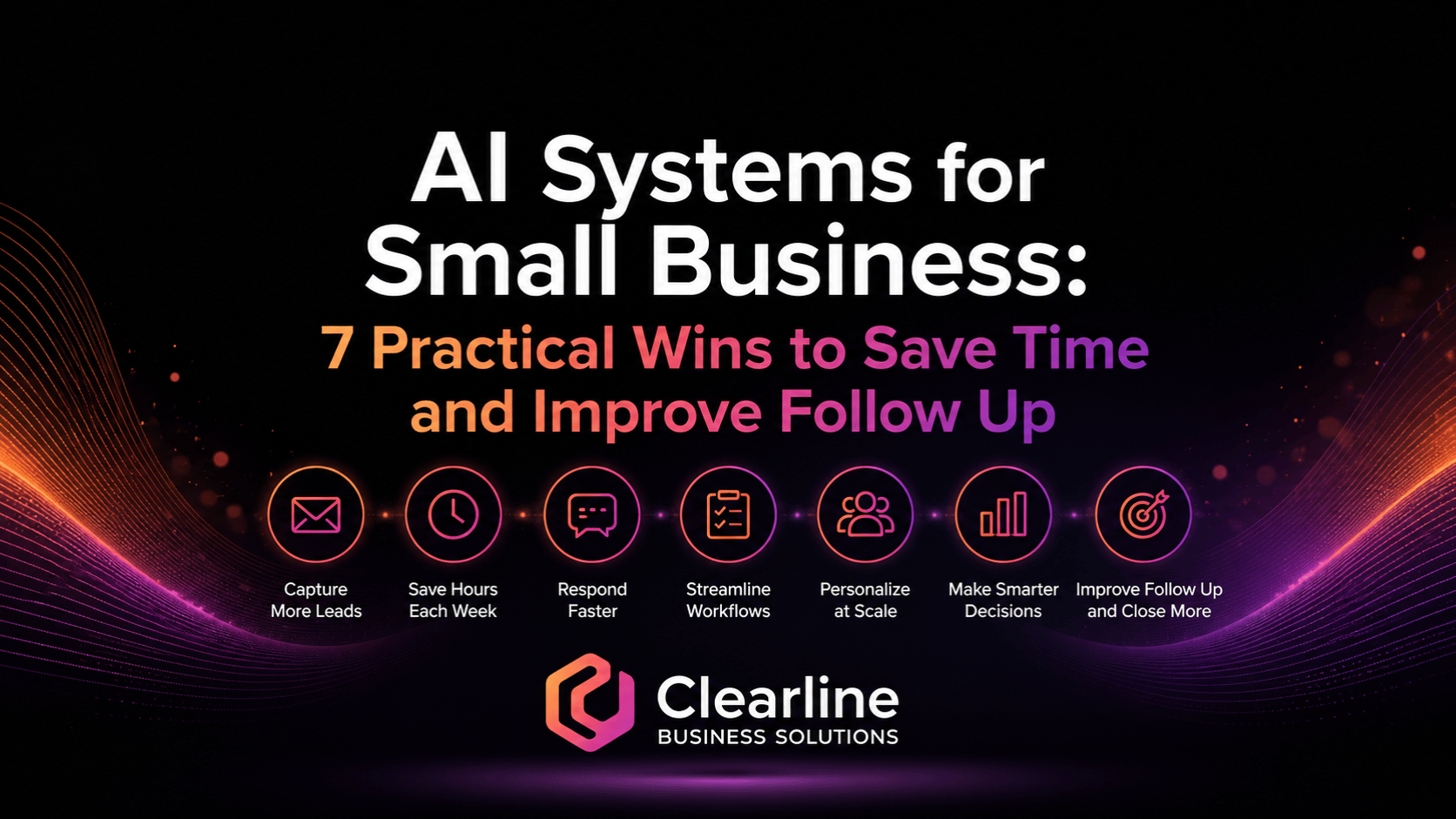
- 7 Practical AI Systems for Small Business
- How to Choose Your First AI Workflow
- A Simple 30-Day AI Systems Roadmap
- Common AI Mistakes to Avoid
- Final Thoughts
- FAQ
What Are AI Systems for Small Business?
AI systems for small business are repeatable workflows where AI helps complete, organize, draft, summarize, route, or review work inside a real business process.
That definition matters because it keeps the focus on the workflow, not the software.
A random prompt is not really a system. A saved prompt is better, but it is still limited. A true AI system has a clear purpose, a defined input, a repeatable process, a human review step, and a useful output.
For example, a small business might use AI to:
- Summarize new website inquiries before they go to sales.
- Draft follow up emails after a consultation.
- Turn messy call notes into cleaner CRM entries.
- Prepare sales questions before a discovery call.
- Summarize weekly lead, sales, and marketing activity.
- Create internal checklists from repeat tasks.
- Review website pages for unclear messaging or missing calls to action.
These are not flashy examples, but they are valuable because they connect AI to work the business already needs to do.
A good AI workflow should answer five questions:
- What task are we trying to improve?
- What information does AI need to help?
- What should the AI produce?
- Who reviews the output?
- How will we know whether this saved time or improved results?
Without those answers, AI can become another scattered tool. With those answers, AI systems for small business can become part of a clearer growth system.
Why AI Tools Alone Are Not Enough
Most small businesses do not need more disconnected software.
They already have a website, email, spreadsheets, accounting tools, calendars, forms, social platforms, marketing tools, CRM software, shared drives, and maybe a few automation tools. The issue is usually not that the business has no technology. The issue is that the technology does not work together.
Leads come through the website but are not followed up quickly. Sales notes stay in someone’s inbox. CRM fields are incomplete. Quotes go out, but reminders depend on memory. Reports show traffic and clicks, but not which leads turned into revenue. Team members repeat the same admin work every week because nobody has documented the process.
AI will not fix that automatically.
In some cases, AI can make the mess worse. If a business adds AI without fixing ownership, data quality, follow up, and reporting, it may simply create faster confusion.
That is why AI systems for small business should start with the business problem, not the tool.
A useful AI workflow might be simple. It might summarize lead forms. It might create better call notes. It might draft first-response emails. It might review CRM activity and flag opportunities with no next step.
The point is not to make the business look advanced. The point is to remove friction from the places where growth already gets stuck.
That fits the way Clearline thinks about growth. Most businesses do not have a marketing problem, sales problem, CRM problem, automation problem, or AI problem in isolation. They have disconnected pieces that do not work together. Clearline’s business growth services are built around connecting strategy, lead generation, sales process, CRM, automation, AI, and reporting into a clearer system.
AI should support that system. It should not become another disconnected piece.
What to Fix Before You Build AI Workflows
Before building AI systems for small business, get a few basics in place. These do not need to be complicated, but skipping them usually creates problems later.
Start With a Clear Business Goal
Do not start with, “We should use AI.”
Start with a problem worth fixing.
For example:
- We respond to new leads too slowly.
- Our CRM data is incomplete.
- Our team writes the same emails over and over.
- We do not have a clear summary of weekly sales activity.
- Our sales team goes into calls without enough preparation.
- Reporting takes too long to understand.
- Our website content does not clearly answer buyer questions.
AI systems for small business should connect to a specific improvement. Saving time is useful, but the best workflows also improve consistency, follow up, customer experience, or decision making.
Use Clean Enough Data
AI works better when the information going in is clear. It does not need to be perfect, but it should be usable.
If your CRM is full of duplicate contacts, missing lead sources, inconsistent deal stages, and old notes, AI may summarize the mess instead of fixing it. If your website forms collect vague information, AI will not magically know what the prospect needs. If your reports are disconnected, AI may create a polished summary without solving the measurement problem.
Before using AI in a workflow, look at the input.
Ask:
- Where does this information come from?
- Is it accurate enough to use?
- Is it structured enough to review?
- Is anything sensitive or private?
- Who owns the data?
Clean enough data gives AI a better starting point.
Keep Human Review in the Process
AI can support work, but it should not remove judgment too early.
This is especially important for sales communication, customer service, pricing, legal language, HR issues, financial decisions, and anything involving private client information. AI can draft, summarize, categorize, and suggest. A person should still review important outputs before they are sent or used.
The Canadian Centre for Cyber Security has published guidance on risks and mitigation measures related to generative AI. That is a useful reminder that AI should be treated as part of the business’s broader technology and risk management process.
Human review is not a weakness. It is part of a responsible system.
Define Ownership
Every AI workflow needs an owner.
Someone should know:
- What the workflow does.
- Which tool is being used.
- What information goes into it.
- Who reviews the output.
- What happens when the output is wrong.
- How the process is updated.
Without ownership, AI becomes another experiment that fades after a few weeks.
Measure the Result
A practical AI system should create a visible improvement.
That might mean:
- Faster lead response time.
- Fewer missed follow ups.
- Cleaner CRM records.
- Less admin time.
- Faster reporting.
- Better sales preparation.
- More consistent customer communication.
- Better visibility into stuck opportunities.
Do not measure AI only by whether it feels interesting. Measure whether it improves a workflow that matters.
7 Practical AI Systems for Small Business
The best AI systems for small business usually start with practical, repeatable work. These seven examples are strong starting points because they connect directly to leads, follow up, CRM, sales process, productivity, reporting, and internal operations.
1. Lead Intake and Qualification

Lead intake is one of the best places to start with AI systems for small business.
Many businesses collect leads through website forms, phone calls, email inquiries, referrals, social messages, or booking tools. The issue is not always lead volume. The issue is what happens after the inquiry arrives.
A lead may come in with limited details. Someone has to read it, understand what the person needs, decide whether it is a fit, route it to the right person, and follow up. When the team is busy, this process slows down. Leads sit in inboxes. Details get missed. Follow up becomes inconsistent.
AI can help by summarizing incoming inquiries and organizing the next step.
For example, an AI-supported lead intake workflow could:
- Summarize the inquiry in plain language.
- Identify the service or problem mentioned.
- Flag missing information.
- Suggest whether the lead looks urgent, warm, or unclear.
- Draft a first response for review.
- Create a suggested CRM note.
- Recommend the next follow up step.
This does not mean AI decides whether a lead is valuable. It means AI helps the team understand the lead faster.
A simple lead intake system might look like this:
- A prospect fills out a website form.
- The form submission is sent to the right inbox or CRM.
- AI summarizes the inquiry and extracts key details.
- A team member reviews the summary.
- The lead is assigned, contacted, and tracked.
- The CRM record is updated with the source, need, and next step.
This is a practical use of AI because it supports speed and consistency. It also connects website lead capture to sales follow up instead of letting inquiries disappear into email.
If your website gets traffic but does not turn enough visitors into conversations, Clearline’s article on website lead conversion problems is a useful next read.
2. Faster Sales Follow Up

Follow up is where many small businesses lose revenue.
A prospect books a call, asks for information, receives a quote, or says they need to think about it. Then the next step depends on memory. The owner gets busy. The sales person forgets. The CRM reminder was never created. The email is written from scratch every time. A good opportunity slowly goes cold.
AI systems for small business can make follow up faster and more consistent.
AI can help draft:
- First response emails.
- Post-call recap emails.
- Quote follow up messages.
- Re-engagement emails for quiet prospects.
- Meeting reminders.
- Answers to common sales questions.
The key is to keep the human involved. AI can create the draft, but a person should review the message, adjust the tone, confirm the details, and make sure the next step is right.
A good AI follow up workflow might work like this:
- A sales call ends.
- The notes or transcript are summarized.
- AI drafts a recap email with key points, next steps, and timing.
- The sales person reviews and edits it.
- The email is sent.
- A follow up task is created in the CRM.
That workflow saves time, but the bigger win is consistency. Every serious opportunity gets a clear recap. Every next step is documented. Every follow up is easier to send.
This is also where AI connects naturally with CRM automation. Clearline’s post on CRM automation for small business explains how routing, reminders, pipeline updates, and alerts can protect opportunities that might otherwise fall through the cracks.
3. CRM Cleanup and Note Summaries
A CRM is only useful if the information inside it is accurate enough to trust.
Many small businesses have a CRM, but the records are messy. Notes are inconsistent. Lead sources are missing. Deals are in the wrong stage. Some contacts are duplicated. Some opportunities have no clear next step. Over time, the team stops trusting the system.
AI can help clean up the small pieces of CRM work that people often avoid.
For example, AI can help:
- Turn call notes into structured summaries.
- Extract action items from meeting notes.
- Suggest CRM fields based on a conversation.
- Identify missing information.
- Summarize long email threads.
- Create cleaner handoff notes between team members.
- Flag records that need review.
This is one of the most useful AI systems for small business because it supports better sales visibility. When CRM records are cleaner, follow up becomes easier, reporting becomes more reliable, and owners can see where opportunities are getting stuck.
The goal is not to make AI responsible for the CRM. The goal is to reduce the manual effort required to keep the CRM useful.
A simple workflow might look like this:
- A consultation or sales call is completed.
- Notes are added to the CRM or call summary document.
- AI creates a structured summary with pain points, decision factors, budget notes, objections, and next steps.
- A team member reviews the summary.
- The final version is saved in the CRM.
- Follow up tasks are assigned.
This saves time, but it also improves handoffs. If someone else needs to step into the relationship later, they can understand the opportunity quickly.
That is how AI systems for small business become part of better sales process, not just faster admin.
4. Sales Call Preparation
Many sales calls are less effective than they could be because the team is underprepared.
The prospect booked a meeting. Their company has a website. They may have filled out a form, downloaded a guide, replied to an email, or spoken to someone previously. But the person taking the call does not have time to review everything carefully.
AI can help prepare for the call faster.
A sales prep workflow might use AI to:
- Summarize the prospect’s website.
- Review the form submission.
- Summarize previous emails or notes.
- Identify likely pain points.
- Suggest discovery questions.
- Highlight possible objections.
- Prepare a simple call plan.
This is not about pretending AI knows the prospect perfectly. It does not. The point is to help the sales person enter the conversation with more context and better questions.
For example, instead of asking vague questions like “Tell me about your business,” the team can ask more useful questions:
- “I saw that you offer three main services. Which one is the strongest growth priority right now?”
- “Your website points visitors to a contact form. Are those inquiries turning into booked calls consistently?”
- “Do you currently track which lead sources become real opportunities?”
- “Where does follow up usually slow down after someone reaches out?”
Better preparation leads to better conversations. Better conversations lead to clearer next steps.
This is where AI systems for small business can support real revenue work. The AI is not selling for you. It is helping your team show up sharper, ask better questions, and avoid wasting the first half of the call collecting basic context.
If your team struggles with unclear handoffs, inconsistent follow up, or stalled opportunities, Clearline’s article on sales and marketing process improvement is a helpful related resource.
5. Website and Content Improvement
AI can also help small businesses improve how they explain themselves.
Many websites are not broken because they look bad. They are weak because the message is unclear. Visitors cannot quickly understand what the business does, who it helps, why it matters, or what to do next.
AI can support website and content improvement by reviewing pages for clarity, gaps, and buyer questions.
For example, AI can help identify:
- Headlines that are too vague.
- Service pages that do not explain the problem clearly.
- Missing calls to action.
- FAQ opportunities.
- Repeated or confusing copy.
- Content gaps around common buyer concerns.
- Blog topics that support sales conversations.
AI can also help repurpose content. A business can turn a long blog post into a sales email, social post, FAQ section, internal training note, or call script.
The important thing is to keep strategy ahead of production. AI can create more content quickly, but more content is not always better. If the positioning is unclear, AI may simply produce more unclear content.
A practical content workflow might look like this:
- Choose one important service page or blog post.
- Ask AI to review whether the page clearly explains the audience, problem, offer, proof, and next step.
- Identify the top three gaps.
- Rewrite only the sections that need improvement.
- Add stronger internal links and a clearer CTA.
- Review the page’s conversion performance over time.
This is one of the lower-risk AI systems for small business because it can improve clarity without requiring heavy technical integration. It is also a useful bridge between marketing and sales. The better your content answers buyer questions, the easier follow up becomes.
6. Reporting Summaries

Small business owners do not need more dashboards they do not understand.
They need clearer answers.
What generated leads this month? Which leads became real conversations? Which proposals are stuck? Which pages are attracting traffic but not converting? Which follow ups are overdue? Which campaigns are creating noise but not revenue?
AI can help summarize reporting data into plain language.
This does not mean AI should replace proper reporting. It means AI can help turn raw information into a review your team can actually use.
For example, AI can help summarize:
- Website traffic trends.
- Lead source performance.
- CRM pipeline activity.
- Sales follow up gaps.
- Email campaign results.
- Proposal status.
- Common customer questions.
- Weekly priorities.
A useful reporting workflow might look like this:
- Pull weekly data from website analytics, CRM, email, and sales activity.
- Feed the relevant summary into an approved AI tool or reporting process.
- Ask AI to identify key changes, stuck points, and recommended review areas.
- Have a person check the numbers and interpretation.
- Turn the summary into three priorities for the next week.
This kind of workflow helps owners move from “we have data” to “we know what to review next.”
That is a major difference.
Many businesses collect information but do not use it well. AI systems for small business can help by making reporting easier to understand and easier to act on. The goal is not perfect analysis. The goal is better rhythm, better visibility, and faster course correction.
This also connects directly to Clearline’s growth systems approach. Reporting should not sit separately from marketing, sales, CRM, and follow up. It should show where the whole system is working and where it is getting stuck.
7. Internal SOPs and Training Support
Small businesses often rely too much on memory.
One person knows how to send the quote. Someone else knows how to prepare the onboarding email. The owner knows how to handle a certain customer issue. A team member knows where the right file lives. The process works until someone is away, busy, or leaves.
AI can help turn repeat work into simple documentation.
For example, AI can help create:
- Step-by-step checklists.
- Standard operating procedures.
- Training notes.
- Onboarding guides.
- Customer response templates.
- Internal FAQs.
- Process improvement ideas.
A simple SOP workflow might look like this:
- Record or write out how a repeat task is currently done.
- Ask AI to turn the explanation into a clear checklist.
- Have the person who owns the task review it.
- Test the checklist with another team member.
- Update it based on what was missing.
- Store it somewhere easy to find.
This is not exciting work, but it is extremely useful.
When repeat processes are documented, the business becomes easier to train, easier to delegate, and easier to improve. It also becomes easier to automate later because the process is finally visible.
This is one reason AI systems for small business should not only focus on marketing. AI can also support operations, training, customer service, admin, and internal knowledge management.
Small improvements in these areas reduce owner dependence and help the team work more consistently.
How to Choose Your First AI Workflow
The easiest mistake is trying to build too many AI workflows at once.
Do not start with seven systems. Start with one.
The best first workflow is usually the one that meets three conditions:
- It happens often.
- It causes visible friction.
- It affects time, revenue, customer experience, or decision making.
For example, a weekly internal update might be annoying, but slow lead follow up may be more valuable to fix first. A content workflow might save time, but CRM cleanup may create better sales visibility. A reporting summary might help the owner, but a post-call follow up workflow may improve the buyer experience faster.
Start where the business already feels the pain.
Good first candidates include:
- New lead intake.
- Sales call summaries.
- Follow up email drafts.
- CRM note cleanup.
- Proposal follow up reminders.
- Weekly sales reporting.
- Internal process documentation.
Avoid choosing a workflow only because it sounds impressive. Choose the one that would make the business easier to run next week.
Clearline built the Growth Priority Finder for this exact reason. It helps business owners review website clarity, visibility, lead generation, sales follow up, systems, automation, reporting, and next priorities. If you are not sure where AI, automation, CRM, or reporting should fit first, that kind of review gives you a clearer starting point.
AI systems for small business work best when they are tied to a real priority, not a random experiment.
A Simple 30-Day AI Systems Roadmap

You do not need a massive AI transformation plan to start making progress. A small, focused 30-day roadmap is usually better.
Week 1: Pick One Workflow
Choose one repeat task that creates friction.
Write down:
- What happens now.
- Who is involved.
- Where the information comes from.
- What slows the process down.
- What the ideal output should look like.
- How success will be measured.
Keep it simple. The goal is to understand the workflow before improving it.
Week 2: Design the AI Support Step
Decide where AI can help.
It might summarize, draft, classify, extract, review, or organize information. Do not ask AI to own the entire process. Give it one useful job inside the workflow.
For example:
- Summarize website inquiries.
- Draft post-call follow up emails.
- Turn notes into CRM summaries.
- Identify missing lead details.
- Create a weekly pipeline summary.
- Turn a task explanation into an SOP.
This is where AI systems for small business become practical. The AI step should be clear enough that someone can explain it in one sentence.
Week 3: Test With Human Review
Run the workflow on real examples, but keep human review in place.
Look for:
- Wrong assumptions.
- Missing details.
- Tone issues.
- Privacy concerns.
- Confusing outputs.
- Steps that create extra work.
- Places where the process needs clearer instructions.
Do not expect the first version to be perfect. The purpose of the test is to make the workflow usable.
Week 4: Document, Measure, and Improve
Once the workflow is useful, document it.
Write down:
- When the workflow should be used.
- What information goes in.
- What AI should produce.
- Who reviews it.
- Where the final output is saved.
- What happens next.
- How often the workflow should be reviewed.
Then measure the result. Did it save time? Did follow up improve? Are CRM notes cleaner? Are fewer tasks being missed? Is reporting easier to understand?
A practical AI system should make work easier to complete and easier to manage.
Common AI Mistakes to Avoid
AI systems for small business can be useful, but only when they are implemented carefully. Here are some common mistakes to avoid.
Starting With Tools Instead of Workflow
A new tool can feel exciting, but the tool is not the strategy.
Start with the workflow. Then choose the tool that supports it.
Automating a Broken Process
If your follow up process is unclear, automating it may only make unclear follow up happen faster. Fix the process first. Then add AI or automation where it helps.
Feeding Sensitive Data Into Unapproved Tools
Be careful with customer information, financial details, employee data, legal content, and anything confidential. Decide what can and cannot be entered into AI tools before the team starts experimenting.
Removing Human Review Too Early
AI outputs can sound confident even when they are wrong. Keep human review in place, especially for customer-facing communication and business decisions.
Creating More Disconnected Software
If AI lives outside your CRM, website, reporting, and sales process, it may become another silo. The goal is to connect the system, not add another place to check.
Measuring Activity Instead of Impact
Do not celebrate AI because it created more drafts, summaries, or ideas. Measure whether it improved response time, saved admin hours, cleaned up CRM data, reduced missed follow ups, or helped the team make better decisions.
Trying to Do Too Much at Once
One useful workflow is better than five half-built experiments. Start small, make it work, and expand from there.
Final Thoughts
AI can help small businesses, but only when it is connected to real work.
The businesses that get value from AI will not necessarily be the ones using the most tools. They will be the ones that use AI to strengthen the systems that already matter: lead capture, follow up, CRM, sales process, reporting, content, internal operations, and customer experience.
That is why AI systems for small business are so useful. They move the conversation away from hype and toward implementation.
Start with one workflow. Make the input clear. Keep a human in the loop. Measure whether it helped. Then improve the next workflow.
That is how AI becomes part of a practical growth system instead of another disconnected experiment.
If you are not sure where AI, automation, CRM, follow up, or reporting should fit first, use the free Clearline Growth Priority Finder to identify where growth may be getting stuck and what to review next. You can also use the Small Business Growth Assessment or explore Clearline’s 25 Business Growth Quick Wins for more practical next steps.
FAQ
What are AI systems for small business?
AI systems for small business are repeatable workflows where AI helps complete, organize, draft, summarize, route, or review work inside a real business process. Instead of using AI for random one-off tasks, the business connects AI to a useful workflow such as lead intake, sales follow up, CRM updates, reporting, content improvement, or internal documentation.
How can a small business use AI without adding complexity?
Start with one workflow that already creates friction. Choose a task that happens often, affects time or revenue, and has a clear output. Keep human review in the process, document the steps, and measure whether the workflow actually helped. AI systems for small business should reduce confusion, not create more tools to manage.
What is the best first AI workflow for a small business?
The best first workflow is usually lead intake, follow up, CRM note cleanup, sales call summaries, or reporting summaries. These workflows are practical because they connect directly to revenue, customer experience, and team productivity. The right starting point depends on where your business is losing the most time or missing the most opportunities.
Can AI help with sales follow up?
Yes. AI can help draft first-response emails, post-call recaps, quote follow ups, re-engagement messages, and meeting reminders. A person should still review the message before it is sent. The goal is not to make follow up robotic. The goal is to make it faster, clearer, and more consistent.
Can AI connect with a CRM?
Yes, depending on the CRM and tools being used. AI can support CRM workflows by summarizing notes, drafting follow ups, extracting action items, reviewing records, and helping identify missing information. AI systems for small business work best when CRM data is clean enough to use and when the workflow has a clear owner.
What should small businesses avoid when using AI?
Small businesses should avoid putting sensitive data into unapproved tools, removing human review too early, automating broken processes, and adding AI tools that do not connect to the rest of the business. AI should support the growth system, not create another disconnected layer.
Does Clearline help build AI systems for small businesses?
Yes. Clearline helps small businesses connect strategy, lead generation, websites, sales follow up, CRM, automation, AI, and reporting into clearer growth systems. If your business is testing AI but does not yet have practical workflows in place, Clearline can help identify where AI makes sense and how it should connect to the rest of your systems..
If this article helped you think differently about growth, marketing, sales, CRM, automation, or AI, explore Clearline’s business growth services to see how these pieces can work together. You can also reach us through the contact page, or book a business growth consultation to talk through where your current systems may be creating friction.